Bing Bing Bing Kicking visual concept
Comedy AI video trend

Comedy trend

Bing Bing Bing Kicking

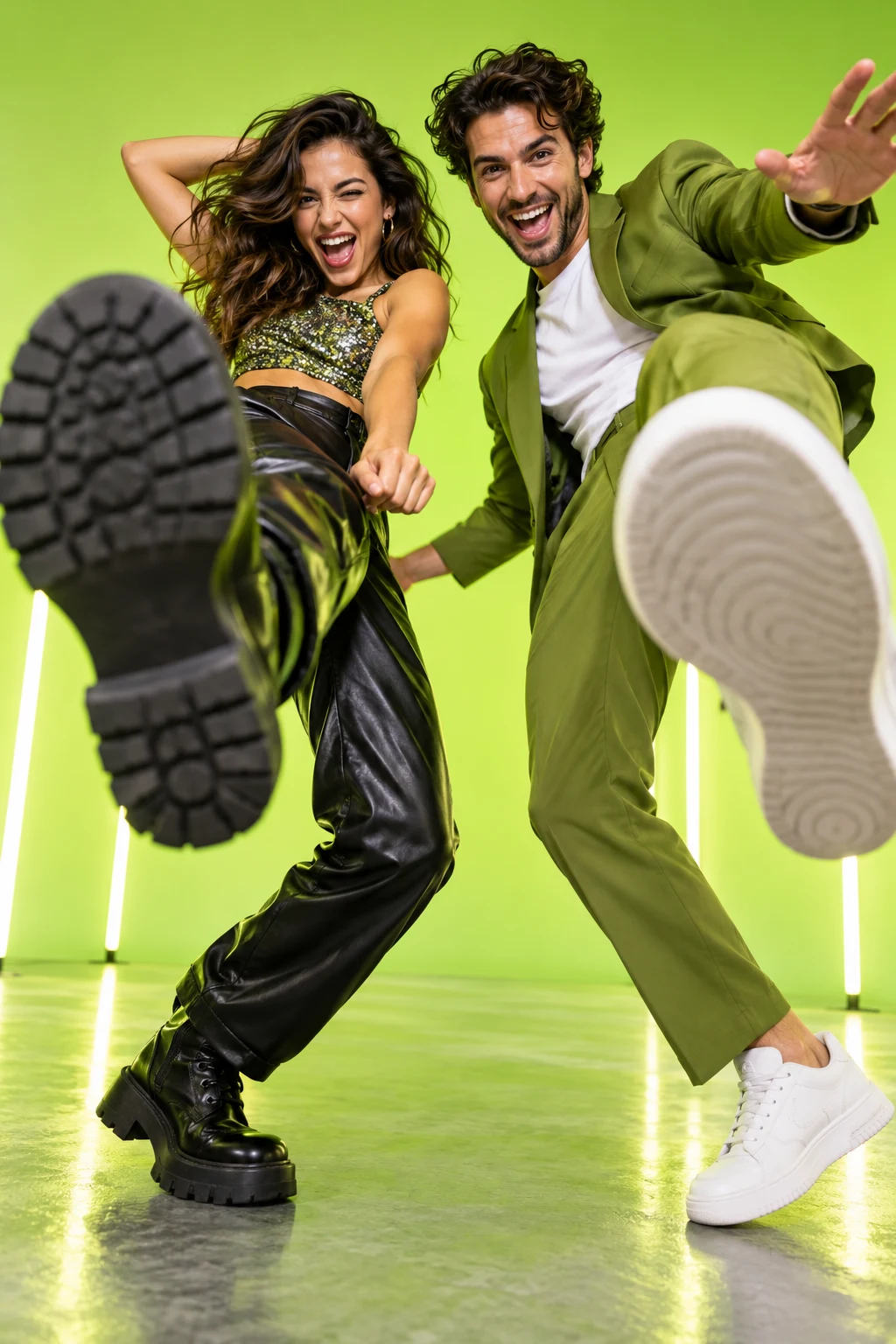
Trade exaggerated comic kicks toward a handheld camera and finish the bit as one final foot blocks the lens.

  • Photos1–2 photos
  • Video length6–10 seconds
  • PromptOptional
All trends

Built for vertical video. An active plan is required before generation.

The concept

What is Bing Bing Bing Kicking?

Bing Bing Bing Kicking is a tightly timed physical-comedy concept. One or two people take turns kicking toward the lens with playful expressions, rhythm and exaggerated camera movement. The motion should stay theatrical and clearly comedic, with a clean final frame rather than realistic contact.

The format is designed to keep the recognizable face, hair and styling from your references while the prepared scene handles the performance, camera language and visual effects. You can use the base direction as-is or add a short prompt for wardrobe, color or setting.

A strong result starts with one clear subject and one clear visual idea. Keep the source photo bright enough to read facial detail, avoid heavy beauty filters and leave room for the motion described below. For group or pet formats, use only images you have permission to upload.
Scene direction

What happens in the Bing Bing Bing Kicking scene?

Each beat gives your reference photo a clear job, from the opening frame to the final pose.

  1. 01

    A handheld close view and an exaggerated first kick

  2. 02

    A second character answers with matching comic timing

  3. 03

    A final foot fills the lens and cuts the scene to black

Photo guide

What photo works best for Bing Bing Bing Kicking?

Use clear full-body photos with space around the legs; two photos work best for a back-and-forth duo edit.

  • Even, natural lighting
  • Eyes and face unobstructed
  • No filters or heavy grain

How it works

How do I make Bing Bing Bing Kicking in 3 steps?

SlapClip keeps the workflow short: choose the format, add your references and let the prepared scene run.

01

Choose this trend

Start with the scene direction already set. There is no timeline to build and no video editor to learn.

02

Add the right photos

Upload clear reference photos of each consenting person, pet or product that should appear in the clip. Use clear full-body photos with space around the legs; two photos work best for a back-and-forth duo edit.

03

Generate your version

Check your plan, start the render and download the finished vertical video when it is ready.

This concept is presented as 6–10 seconds of short-form video. Rendering typically takes 3 to 8 minutes, while current availability and timing can vary.

Questions

What else should I know about Bing Bing Bing Kicking?

What to expect from the format, its photo requirements and the SlapClip workflow.

See plans and pricing
How do I make Bing Bing Bing Kicking?

Open SlapClip, keep Bing Bing Bing Kicking selected and upload 1–2 photos. Use clear full-body photos with space around the legs; two photos work best for a back-and-forth duo edit. Continue to your active plan, then generate and download the finished video from the browser.

What happens in the Bing Bing Bing Kicking scene?

A handheld close view and an exaggerated first kick. A second character answers with matching comic timing. A final foot fills the lens and cuts the scene to black. The exact motion follows the selected clip while your face, hair and styling come from your uploaded photo.

Can I make Bing Bing Bing Kicking without editing skills?

Yes. The visual treatment is already prepared on this page, so there is no timeline, keyframe animation or prompt engineering to learn. Choose the reference, add the requested photos and use the SlapClip CTA to check your plan.

How much control do I have over the result?

Use clear full-body photos with space around the legs; two photos work best for a back-and-forth duo edit. The optional prompt can add a short detail about wardrobe, color or setting without changing the core scene. Keep the description focused on one or two visual choices for the clearest result.

How long does Bing Bing Bing Kicking take?

The clip is presented as a 6–10 seconds short-form video concept, and SlapClip is designed around a typical 3 to 8 minute render flow. Actual availability and timing can vary, and an active subscription is required before generation starts.

Your turn

How can I make Bing Bing Bing Kicking with my own photos?

Pick your reference, check your plan and create a vertical video made for TikTok, Reels and Shorts.